 Бесплатно
Windows
30 ноября 2025
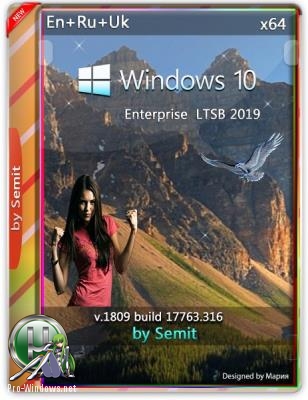
Windows 10 Enterprise LTSC v19.02 by Semit 64bit
Windows 10 Enterprise LTSC v19.02 by Semit 64bit Сборка не в режиме аудита. Образ в wim формате. Запись на флешку (4GB или более) с помощью Windows USB/DVD Download Tool или Компьютер для системы: 64-разрядный процессор, тактовая частота 1 ГГц или выше;
12
123
0
Описание
Windows 10 Enterprise LTSC v19.02 by Semit 64bit
- Сборка не в режиме аудита.
- Образ в wim формате.
- Запись на флешку (4GB или более) с помощью Windows USB/DVD Download Tool или Компьютер для системы: 64-разрядный процессор, тактовая частота 1 ГГц или выше; 2 ГБ ОЗУ, 16 ГБ жесткого диска; графическое устройство DirectX 9 с драйвером WDDM версии 1.0 или выше.
- Windows 10 Enterprise LTSC v19.02 by Semit 64bit торрент, изменения: Добавлены Language packs (ru, ua) .NET Framework 3.5 servicing stack update (KB4470788), Windows update 17763.316 (KB4487044), Adobe Flash Player update (KB4487038), C++ Redistributable packages (x64 and x86) : 2010 SP1, 2012 SP4, 2013, 2017 (14.16.27012). DirectX 9 June 2010, nuget 2.8.5.208, PowerShell module PSWindowsUpdate v2.1.0.1, VLC player 3.0.6, 7zip 18.06.
- Удалил PAKackage Active Directory Lightweight Directory Services DataCenterBridging Help packages Legacy-Components (DirectPlay), Lxss (Linux Subsystem), MediaPlayback (Media Player), RemoteAssistance Sense & Windows Defender SMB1 WinSATMediaFiles, Пакеты Microsoft\Windows\Application Experience\Microsoft Compatibility Appraiser, Microsoft\Windows\Application Experience\ProgramDataUpdater, Microsoft\Windows\Application Experience\StartupAppTask, Microsoft\Windows\Autochk\Proxy, Microsoft\Windows\Customer Experience Improvement Program\Consolidator, Microsoft\Windows\Customer Experience Improvement Program\UsbCeip, Microsoft\Windows\DiskCleanup\SilentCleanup, Microsoft\Windows\DiskDiagnostic\Microsoft-Windows-DiskDiagnosticDataCollector, Microsoft\Windows\NetTrace\GatherNetworkInfo, Microsoft\Windows\Power Efficiency Diagnostics\AnalyzeSystem, Microsoft\Windows\Windows Error Reporting\QueueReporting.
- Другие winre.wim (Windows Recovery Environment), All Firewall Rules, Изменены настройки (Default User), Let apps use my camera, microphone, contacts ... etc
- Off Radios - Off Sync with devices - Off Autocorrect misspelled words - Off AutoPlay - Off Windows should ask my feedback - Never & Basic Open File explorer on This PC - Set Hide extensions for known file types - Off Show hidden files, folders and drives - Set Launch folder windows in a separate process - On Large icons in Control Panel - Set Show recently used files in Quick access - Off Show frequently used files in Quick access - Off Настройки Windows update - check only Updates from more than one place, Only from Microsoft Malicious Software Removal Tool through Windows Update, Disabled Write debugging information - none Disable administrative shares - Set Automatically update maps - Off Windows Error Reporting - Off Let apps on my other devices open apps and continue experiences on this device - Off Do not use automatic learning and delete all collected data (Handwriting) - Set Powershell ExecutionPolicy - Unrestricted Disabled the lock screen functionality.
Сервисы Connected User Experiences и Telemetry
★ Вознаградить автора
Discuss
PC64 · 2026